

Reviews
Here at XXX we welcome all feedback – please use the button below to open up the feedback form.
Submit your review | |
This review form can be filled in by anyone – no need to be logged in, but the results are not published until you have approved them. You retain full editorial control on what ends up being posted. After completion and the user presses “Submit” you get an email alert and then you can visit the control panel on the website to review the feedback.
Submit your review | |
This code adds a Review button to a page when clicked it creates a drop down form which can be filled in and submitted.
- Best for: Contact pages, dedicated review submission landing pages.
- Why it works: Hides existing reviews.
Submit your review | |
Really enjoyed the course.
My golf society had a great day and would like to thank the staff for their help and patience.
Well the software looks OK the instructions are the worst in the world!
Ideal for a “Testimonials” or “Customer Reviews” page where you want visitors to both read past feedback and leave their own.
- Best for: Main Testimonials or Review hub pages.
- Why it works: Shows the submission form, displays up to 10 total reviews Upto 10 is website owner defined and they can be broken into two pages with a more reviews.
Really enjoyed the course.
My golf society had a great day and would like to thank the staff for their help and patience.
Well the software looks OK the instructions are the worst in the world!
test of the free form area
Use this if you want a dedicated wall of love showcasing every review submitted across the entire site, without allowing new submissions directly inside that block.
- Best for: Homepage feeds, site-wide testimonial archives, or trust-building pages.
- Why it works: Shows a lot of testimonials and which you have been able to vet before being published.
Really enjoyed the course.
My golf society had a great day and would like to thank the staff for their help and patience.
Well the software looks OK the instructions are the worst in the world!
Use this inside a narrow column, sidebar widget, or footer area where space is limited.
- Best for: Sidebars, page footers, or product side-bars.
- Why it works: Trims long reviews down to 150 with a “Read More” link
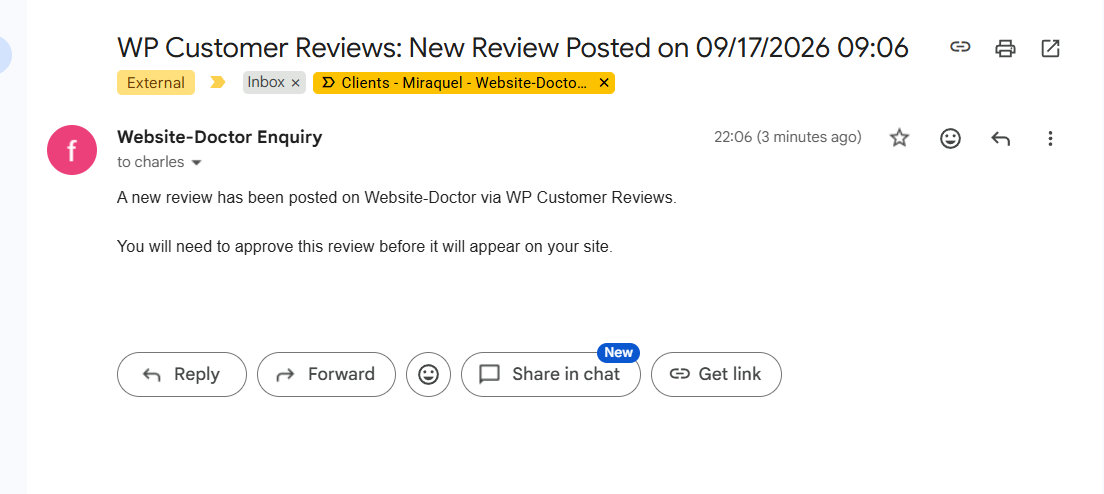
When someone fills in the Review form that generates and email notification.
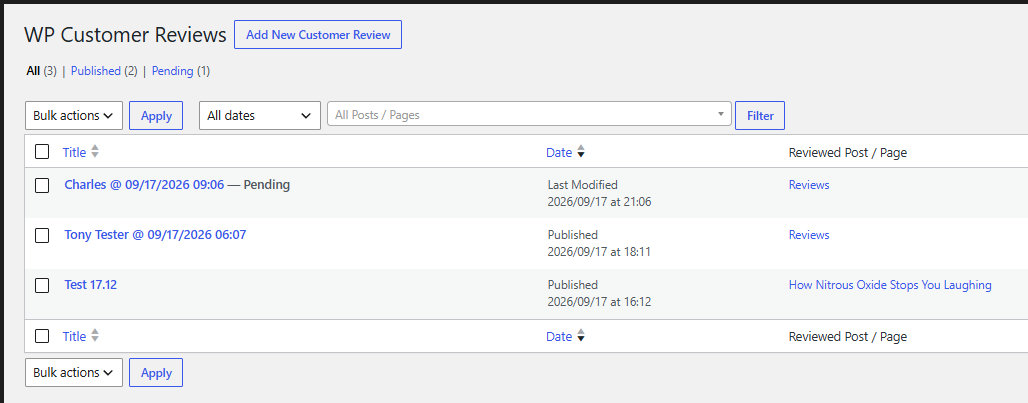
Click on the Review and you can read what they have put I would not correct spelling mistakes but profanity can be removed.
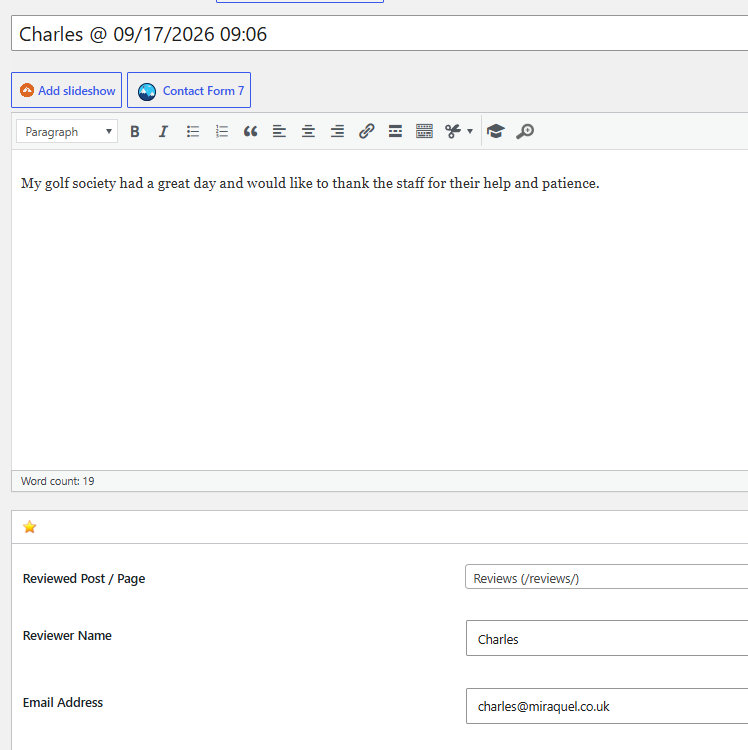
Once you are happy you can publish the review and it will be live on the website.


