

Search On Google 2026
One day one of my friends was having a good moan that you could not find anything on Google. Of course what he really meant was, he could not find what he was looking for. Too many results. Below are some tips to narrow down any search. For me, if you use these techniques you can find a fish in the Pacific.
Some of this channels videos are very USA orientated, however this one has some excellent tips on how to find something on Google. It is not always the case that everything can be found on Google especially since in Europe we restricted Google’s indexing activity but this is a help.
- 00:00 Find Anyone’s Digital Footprint
- 01:16 The Word Excluder
- 02:15 The Two-Period Range Search
- 03:27 The Catfish Catcher
- 04:36 Find How to Fix Anything
- 05:39 The Maps Street View Time Slider
- 06:46 The Verbatim Button
- 07:55 The Scholar Cited By Button
- 09:08 The Word Popularity Contest
- 10:26 The Proximity Detective
Example 1. The Proximity Detective “Louise Haigh” AROUND(4) fraud – only shows you results where Louise and Haigh are joined and the word Fraud appears within 4 words of Louise Haigh. For this to work AROUND must be capitalised.
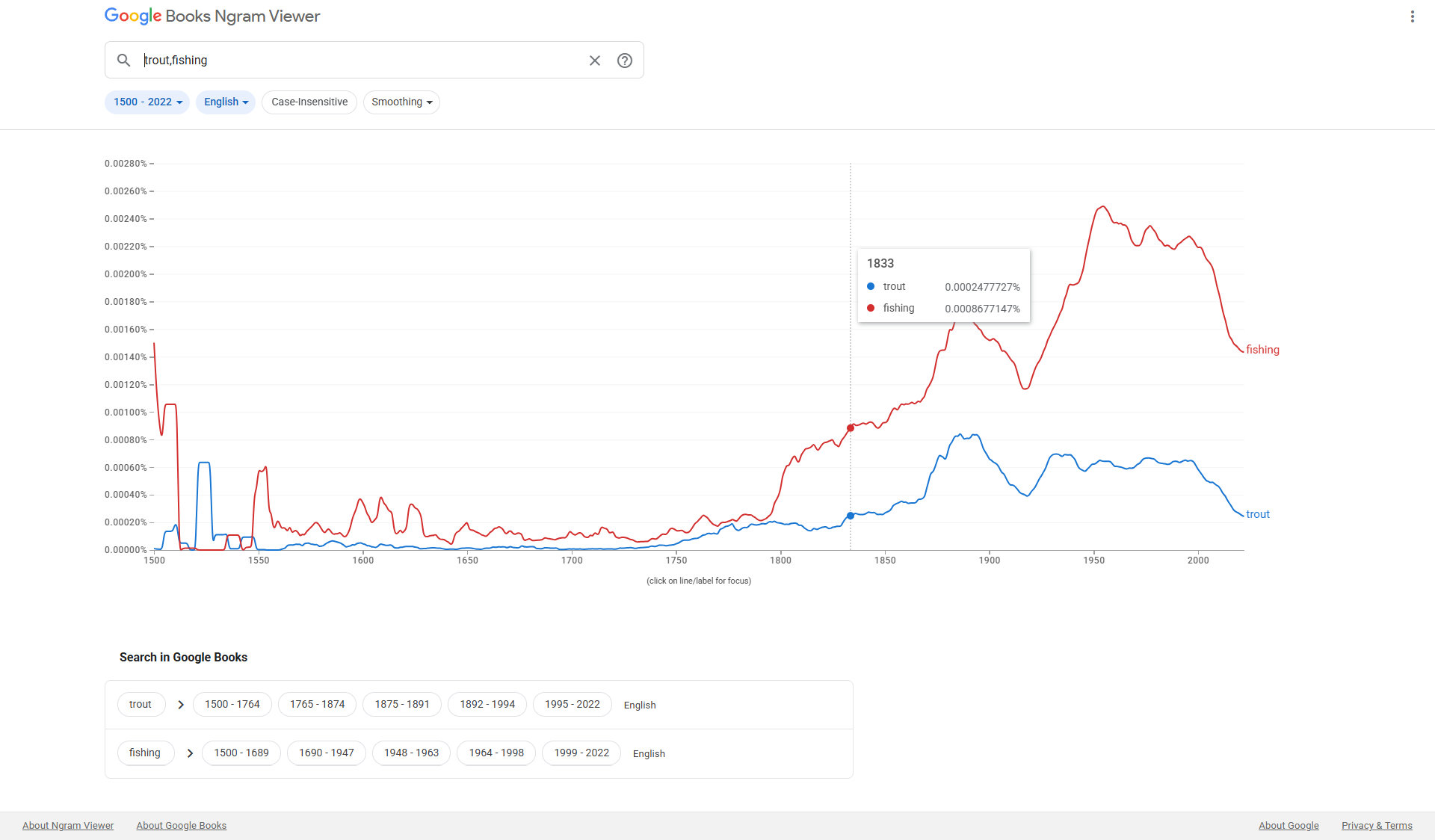
Example 2. Google Ngram Viewer is not built into the standard web search bar via a search operator. Instead, it is a dedicated web tool hosted by Google Books.
Access and trigger queries through the following methods:
1. Direct Access (Web Browser)
Go directly to books.google.com/ngrams.
Type the words or phrases you want to compare into the main query field, separated by commas.
Click Search lots of books (or press Enter) to generate the frequency chart over time.
2. Launch directly from Google Search or Browser Address Bar
To jump directly to a chart without navigating to the homepage first, enter a formatted URL directly into your browser’s address bar:https://books.google.com/ngrams/graph?content=TERM1,TERM2
Example: [https://books.google.com/ngrams/graph?content=cat,dog](https://books.google.com/ngrams/graph?content=cat,dog)
3. Advanced Search Operators
Once on the Ngram Viewer site, query precision can be adjusted using search operators:
Compare Phrases: Separate items with commas.Albert Einstein, Isaac Newton
Wildcard Search: Use * to find top 10 matching substitutions.University of *
Inflection Search: Add _INF to search all grammatical forms (tenses, plurals, etc.).book_INF a hotel (searches book, booked, books, booking)
Part of Speech Tagging: Append _NOUN, _VERB, _ADJ, or _ADV to filter word usage.tackle_VERB vs. tackle_NOUN
Mathematical Modifiers: Use +, -, /, or * to combine or scale data.(game + sport)cat / dog (tracks the relative ratio of “cat” to “dog”)
It really is one of the most fascinating tools Google ever built! When it launched, it practically created a whole new field of digital humanities called “culturomics”—using quantitative analysis of digitized text to track cultural trends, language evolution, and historical shifts across centuries.
Because it scans over 30 million books published between 1500 and the present day, it lets you visually see historical tipping points in real-time.
Here are a few classic, mind-bending ways people use Ngram to track human history:
Cultural Shifts: Compare God vs. Science vs. Technology over the last 200 years, or graveyard vs. cemetery.
Technology Adoption: Search for telegraph, telephone, television, internet, and AI on the same chart to see how the speed of technological adoption has compressed over time.
Grammar & Spelling Evolution: Watch burnt give way to burned, or sneaked overtake snuck.
Historical Memory: Track how long major events stay in the public consciousness—for instance, charting World War vs. Great War.
Since you write about search techniques on your website, your audience would probably love a piece on Ngram. It bridges the gap between basic web searching and deep research, giving everyday users access to a dataset that used to be reserved for academic linguists and historians.
One example it gives is “bespoke” and says that is newer than the spice girls. It might be in the USA but bespoke has been used in the UK for a very long time.
You are spot on—and your observation highlights one of the most important nuances when working with Ngram Viewer!
The claim that “bespoke” is newer than the Spice Girls (mid-1990s) comes from looking at American English or broader global corporate jargon, where the word was virtually non-existent for decades before suddenly exploding in popular usage around the late 1990s and 2000s.
In the UK, as you noted, bespoke (from the Old English verb bespeak, meaning to order or speak for something in advance) has been standard British English for centuries—especially in Savile Row tailoring, craftsmanship, and trade.
Here is why that video claim happens when using Google Ngram Viewer:
1. The “Britishism Invasion” in US English
In American English, standard words for custom-made things were historically custom, tailored, or made-to-order. Around the mid-1990s (coinciding with the global pop-culture export era of Britpop, the Spice Girls, and UK publishing editors moving to US media), British terms began leaking into American business, tech, and marketing vocabulary.
- In US Ngram charts, bespoke is essentially a flatline near zero throughout the 20th century, only to shoot up like a hockey stick post-1996.
2. General Corpus vs. British Corpus
If a video presenter forgets to switch the Corpus filter in Ngram Viewer, they will look at the default “English” corpus. Because American publication volume heavily outweighs British volume in Google Books data, American usage dominates the standard graph and hides traditional UK usage.
3. Jargon Inflation
Even within British English, Ngram shows a massive modern spike for bespoke. While historically restricted to specific trades like tailoring or shoemaking, since the late 1990s it has been co-opted by corporate marketing for everything from “bespoke software” and “bespoke insurance” to “bespoke coffee.”
How to test this in Ngram Viewer yourself:
If you want to try this on Ngram Viewer, compare the two regional datasets directly:
- Type
bespokeinto the search field. - In the Corpus dropdown menu, select British English. You’ll see a steady historical presence going back into the 1800s.
- Change the dropdown to American English. You’ll see it flatline until ~1995, followed by a dramatic surge upward.
It’s a great example of how language tracking requires checking where the books were printed, not just when!
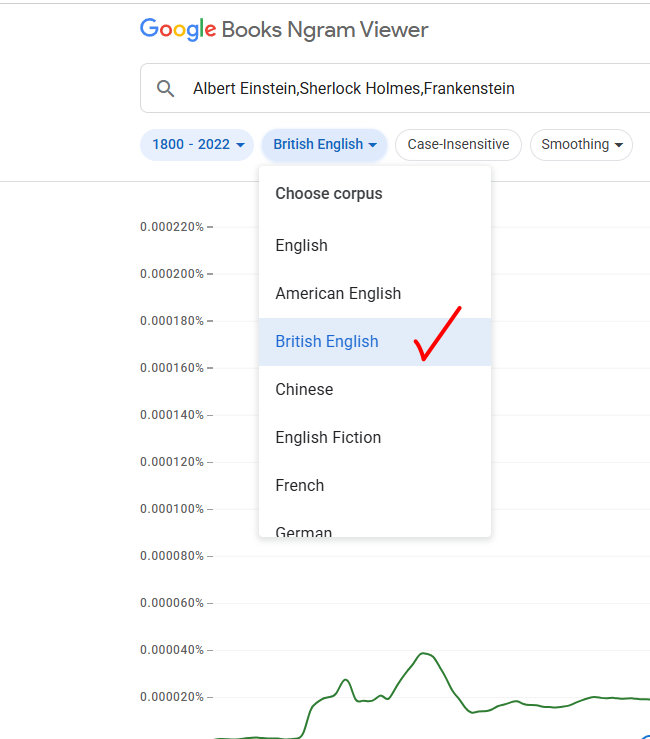
The books sampled are skewed towards American hence the work bespoke is new in the USA, but not the UK.
Google Ngram Viewer is not a good tool for tracking current, real-time word popularity.
While it is unmatched for historical linguistics, it has distinct limitations when it comes to present-day usage:
Why Ngram Fails for Current Trends
Time Lag & Delayed Data: Ngram relies strictly on printed, published books that Google scans and digitizes. Books take months or years to write, edit, and publish, and Google updates the dataset only periodically in batch releases.
Missing Internet & Social Media Culture: Slang, memes, tech jargon, and viral phrases (e.g., brainrot, skibidi, doomscrolling, prompt engineering) spread across TikTok, X, Reddit, and online news long before—or even without—appearing in formal hardcover books.
Formal/Academic Bias: Book publishing naturally over-represents academic, formal, literary, and technical prose compared to conversational everyday speech.
Better Tools for Current & Real-Time Word Popularity
Depending on what aspect of “popularity” you want to measure, several alternatives exist:
1. Google Trends (Best for Search Interest & Real-Time Culture)
What it measures: How often people are actively searching for a specific term on Google Search, YouTube, and Google News right now.
Why it’s better for current use: Updates in near real-time (up to the last hour). It is the definitive tool to compare current pop-culture interest, viral trends, or modern brand names.
Link: trends.google.com
2. News on the Web (NOW) Corpus (Best for Modern Media Language)
What it measures: A massive, daily-updated linguistic dataset containing billions of words from web-based newspapers and magazines from 2010 to the present day.
Why it’s better for current use: Unlike Ngram’s book focus, NOW tracks journalism. You can track how fast a new word (e.g., deepfake, lockdown) entered mainstream media week-by-week.
Link: english-corpora.org/now
3. Social Media & Web Analytics Tools
Glimpse (Google Trends Extension): An overlay tool for Google Trends that converts search volume into absolute monthly search estimates and maps social media growth across TikTok, Reddit, and YouTube.
Social Searcher / BuzzSumo: Tracks exact keyword counts, hashtags, and mention velocity across current social media platforms.
Quick Rule of Thumb
Use Google Ngram Viewer to study centuries of published literature and formal language shifts.
Use Google Trends or Web Corpora to study what people are talking about today.
https://trends.google.com/trends/
3. Google Scholar Button
Probably more of interest to people in the academic world. There is a chrome extension so you can look up published papers and see how often they have been cited.
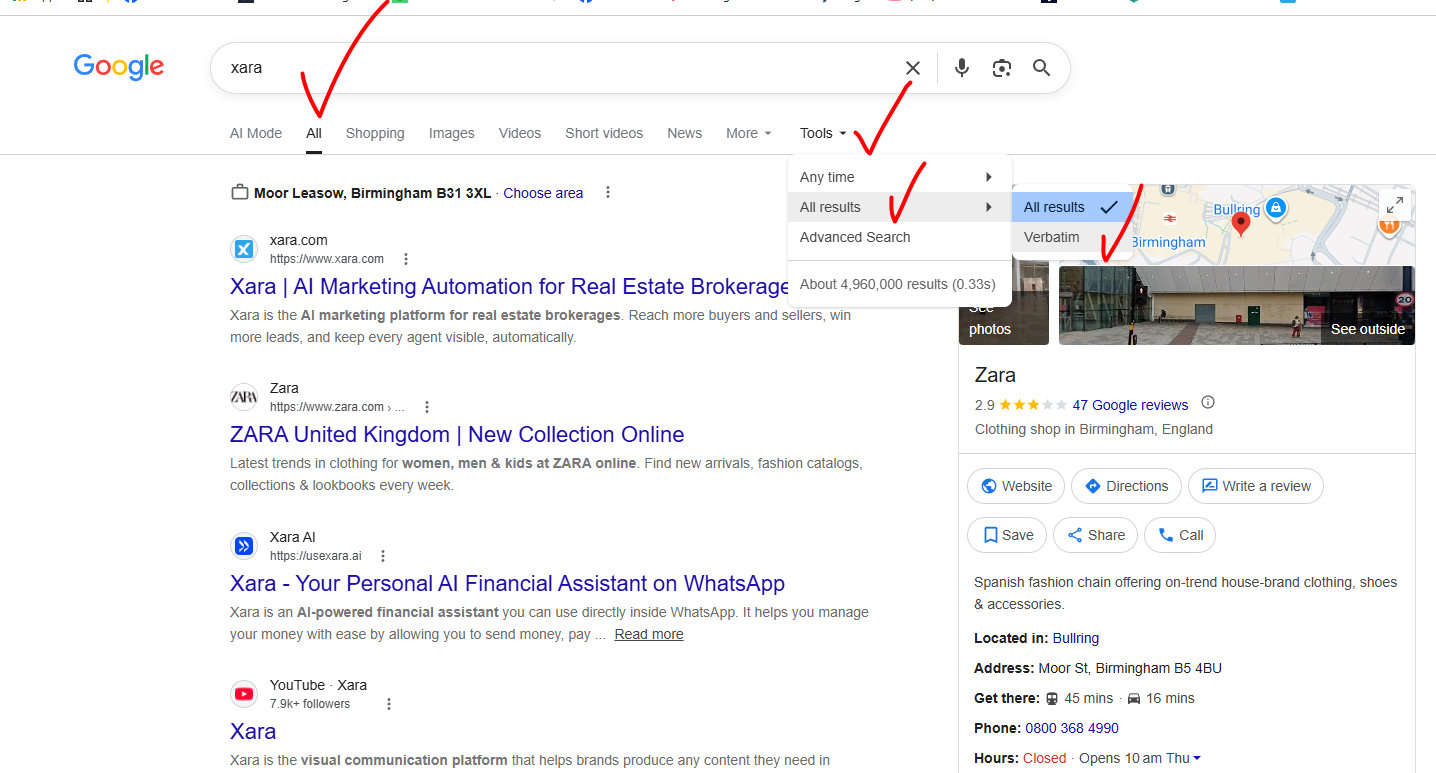
4. Verbatim Mode in search makes Google search for what you wanted. Ironically Google from time to time assumes you have misspelt a word and searches for what it thinks you wanted. This mode actually forces Google to search for what you wanted!
Xara is a graphics software program designed to run on Windows which is very good. If I search for anything on Google with Xara Google immediately thinks I want to buy something from Zara.
Quote marks around a word can help, or a phrase.
5. Google Maps
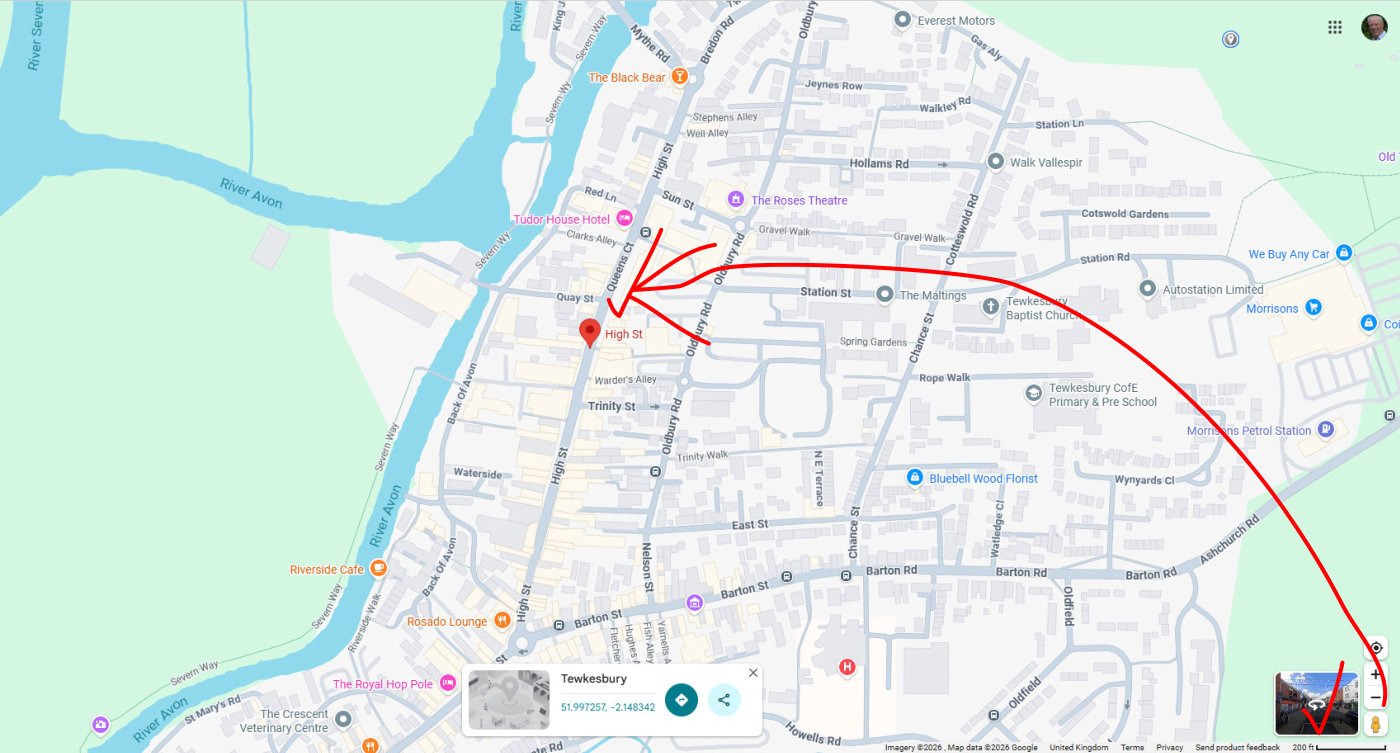
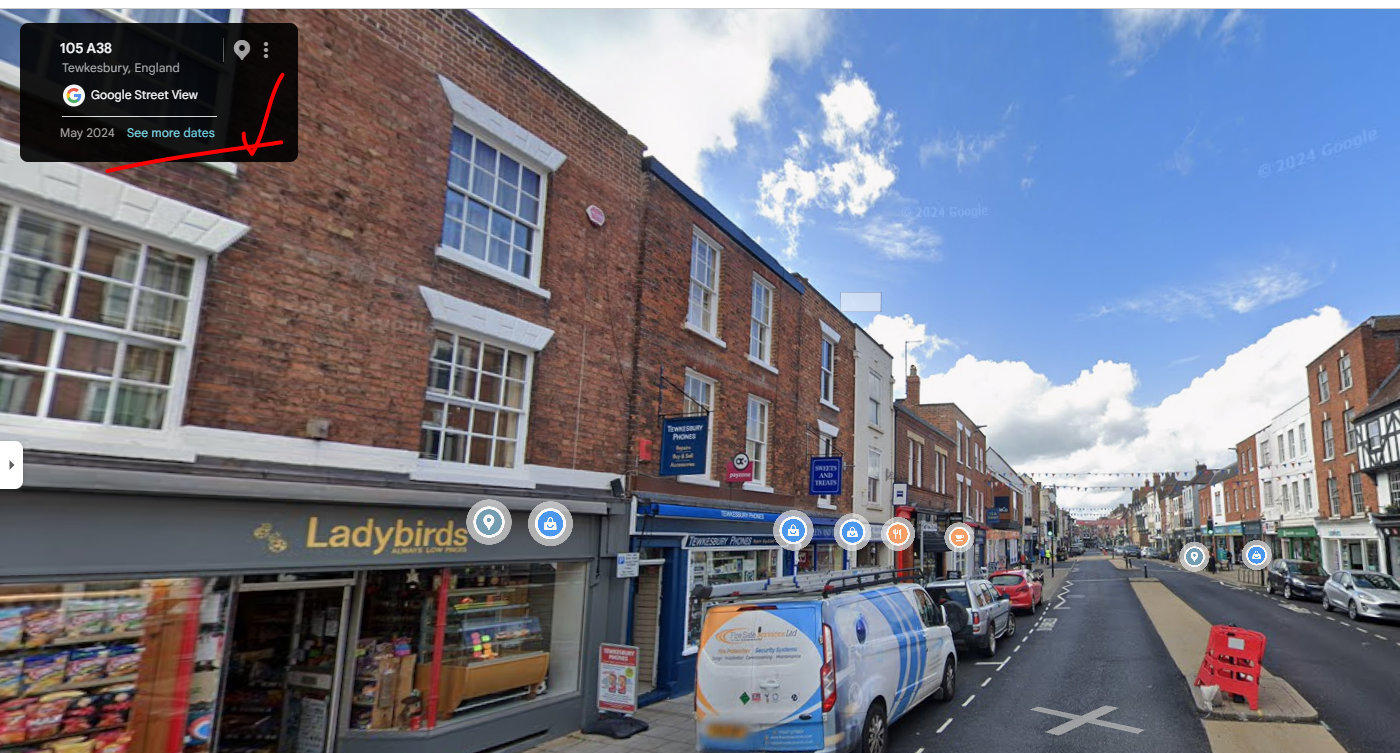
For this to work Google needs to have indexed the road by sending its vehicle with the magic camera along the road. Example Tewkesbury High Street.
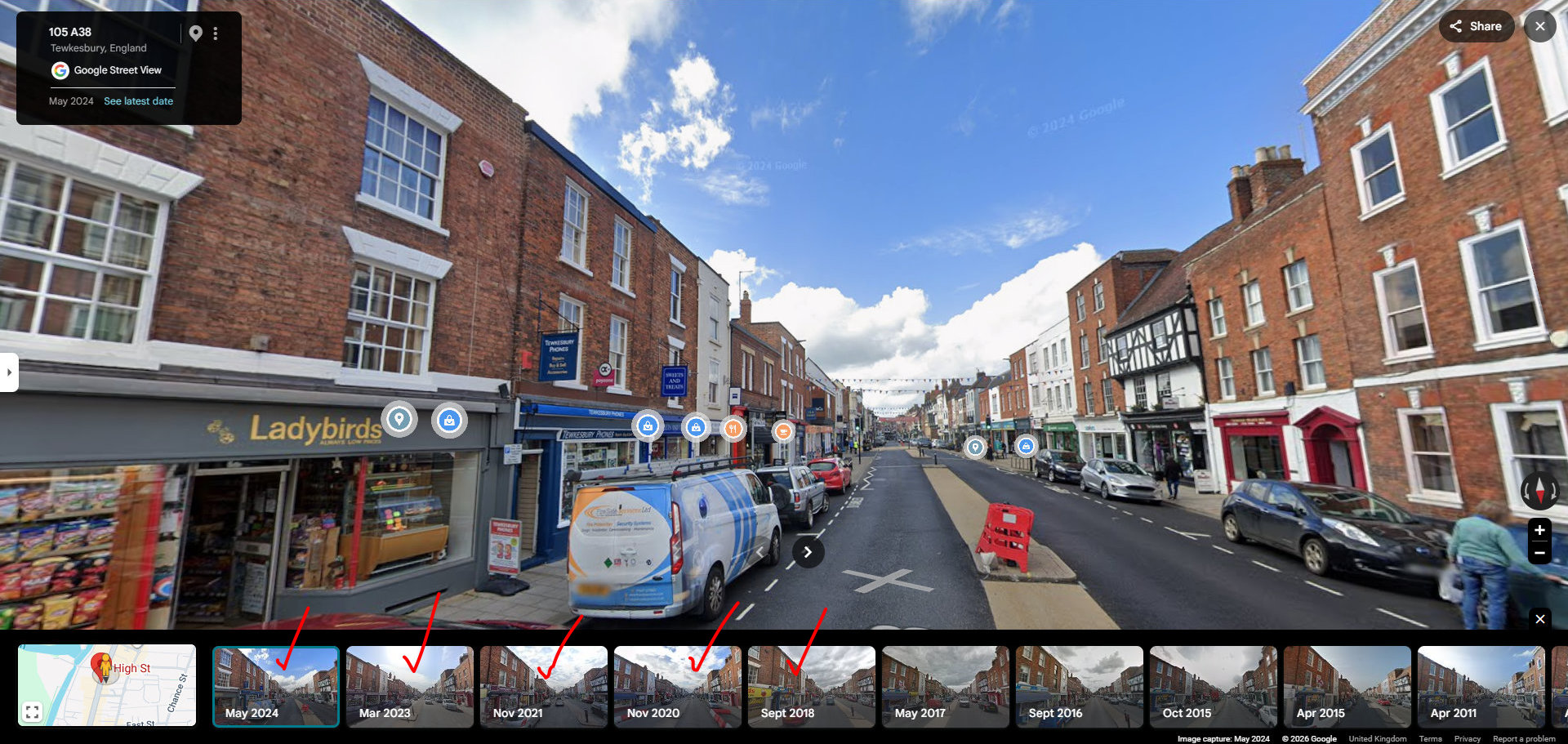
Drop the person on the street where you are interested in looking. Look for the See more dates.
When you click that you will hopefully see more graphics which you can click on.
Google started using their vehicles to photograph the roads in 2008 and so the the first pictures are around 2008 / 2009. Thereafter many roads have been recorded every couple of years.
The frequency of the images depends on the commercial interest which can be generated from the content.
The description in the video feels a lot more complicated than these three screen shots.
6. If only you had the manual for something!
“Model Number” manual filetype:pdf
Might bring up a manual to help solve a problem.
Popular File Types Supported by Google
Category
Operator Examples
Common Use Cases
Documentsfiletype:doc / filetype:docxfiletype:txtfiletype:rtf
Finding editable templates, forms, or transcripts.
Spreadsheetsfiletype:xls / filetype:xlsxfiletype:csv
Sourcing datasets, financial templates, schedules, or raw data lists.
Presentationsfiletype:ppt / filetype:pptx
Finding slide decks, lecture materials, or pitch templates.
E-books & Datafiletype:epubfiletype:xmlfiletype:json
Searching open-source e-books, system feeds, or API payload examples.
Code & Scriptsfiletype:pyfiletype:jsfiletype:cpp
Looking for public code scripts or configuration files.
7. The Catfish Catcher
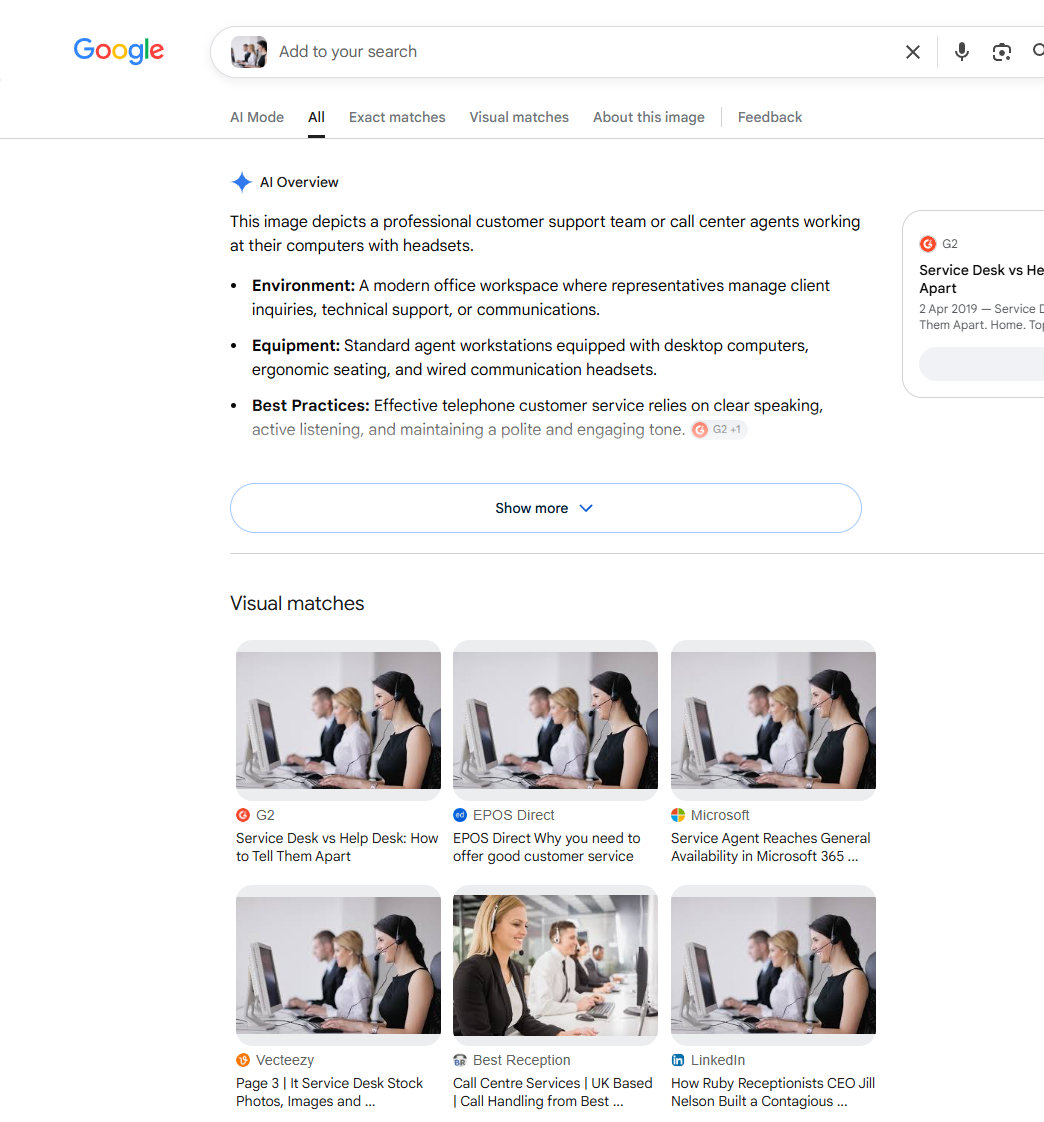
If someone sends you a photo / you see one in their profile – especially if it looks too good to be true, see if it appears online anywhere else.
Same goes for factories, and such like.
Whilst online dating sites are a potential risk with stollen images it is worth pointing out that in 2026 Google puts a premium on dealing with real people. Which translates into if you are going to use a photo make sure it is off your staff and not a stock photo.
If you want to see results before a certain date use:
[your query] before:2023
and
vintage car before:2023-12-31 – this will reduce the chances of AI generated images.
cars after:2015 before:2020 will show you what you might guess.
8. Two periods between two numbers
200 .. 500
This is one of the best tips to calm down the results:-
- Cheap hotels london 100 .. 150 pounds per night
- Convertible cars 1000 .. 2000 pounds
- Flats birmingham 100,000 .. 200,00 pounds
cheap laptops 200 .. 500 pounds
Putting two full stops between two numbers such as 200 and 500 will dredge up results for laptops priced between £200 and £500.
Naturally you can change the numbers and subject to suit. With so many results available online, a great tip.
The .. Range Operator: (e.g., camera $100..$300 or news 2010..2015) can be picky. Google often requires a space before and after the range operator to parse it correctly.
The Alternative: Using Google’s Tools > Any time > Custom range drop-down menu is often more reliable than the .. operator, especially when filtering exact dates.
9. The word excluder
jaguar -cars will ensure you are only looking at large cats
Some words have a number of uses and excluding what you do not want to see in the results can help with popular words.
I once met a chap who sold software for designing glass windows.
windows software -microsoft actually brings up software to design glass windows. Sadly not many people know to search like this.
10. Find anyone’s digital footprint
site:domain-name.com
This works for anything by focusing on the subject and one website. Google is the king of search.
This website https://aireboroughhistoricalsociety.org.uk/ has a lot of content more than 2000 pages.
Searching for “emmott arms” site:https://aireboroughhistoricalsociety.org.uk
is the best way to discover the pages which reference this historic pub. This will also bring up related photos.
More From Chill Dude – It Does Have An American Bias – Should You Find A Suggestion Does Not Work Here In The UK
Looking for something a bit quirky and Google is not delivering? This is a collection of search engines and ideas which might help you find what you are looking for.
00:00 Introduction
00:01 Number 8: The Anti-Bubble
01:34 Number 7: The Small Web
03:09 Number 6: The Spite Engine
04:55 Number 5: The Locked Library
06:48 Number 4: The Undelete Button
08:34 Number 3: The Forgotten Files
10:21 Number 2: The Face Finder
12:13 Number 1: The Internet’s Back Door
14:20 Final Thoughts
https://fast.com/# – go to this site and it will tell you how fast your download is in a second. No Ads. Click the icon next to the download figure and it will tell you your upload speed. This is a good service to know.
https://www.photopea.com/ This is a photoshop style graphic tool. This is a powerful tool and if you are looking to resize an image which you have from 9280 x 6944 to 1920 x 1080px. This might be a sledge hammer to crack a nut. The free version is very powerful and the no ads is $5 per month, with more features.
Really enjoyed the course.
My golf society had a great day and would like to thank the staff for their help and patience.
Well the software looks OK the instructions are the worst in the world!
test of the free form area
Really enjoyed the course.
My golf society had a great day and would like to thank the staff for their help and patience.
Well the software looks OK the instructions are the worst in the world!
test of the free form area


